


I have to say I am a huge fan of small form factor (SFF) cases. Not only because they are small but I am amazed at all of the features they can pack into such a small case. Today’s case is no exception. It fits Mini-ITX and Mini-DTX motherboards, has internal USB 3.0 and eSATA compatibility, a large 140mm intake fan, room for both 3.5-inch and 2.5-inch hard drives, a really cool side panel release system and even a handle on top for easy transportation. The case I’m talking about is the PC-TU200 from Lian Li. Read on as we have the review.
Special thanks to Lian Li for providing us with the PC-TU200 Case to review.
Specifications
Model: PC-TU200
Case Type: Mini Tower Chassis
Dimensions: (W) 220mm x (H) 320mm x (D) 360mm
Front bezel Material: Aluminum
Color: Black / Silver
Side Panel: Aluminum
Body Material: Aluminum
Net Weight: 3.15KG
5.25″ drive bay (External): 1
3.5″ drive bay (External): None
HDD bay: 3.5-Inch HDD x4 / 2.5-Inch HDD x2 (One used in the 3.5-inch bay)
Expansion Slot: 2
Motherboard: Mini-ITX / Mini-DTX
System Fan (Front): 140mm fan x1
System Fan (Top): None
System Fan (Rear): None
I/O Ports: e-SATA / USB3.0 x 2 / HD Audio
Maximum Compatibility
– VGA Card length: 300mm
– PSU length: 140mm
– CPU cooler height: 80mm
Packaging
The PC-TU200 comes in a box that is not much larger than the case itself. On the front there is a picture of the case and an overview of some of the features. On the side you have the list of specifications.


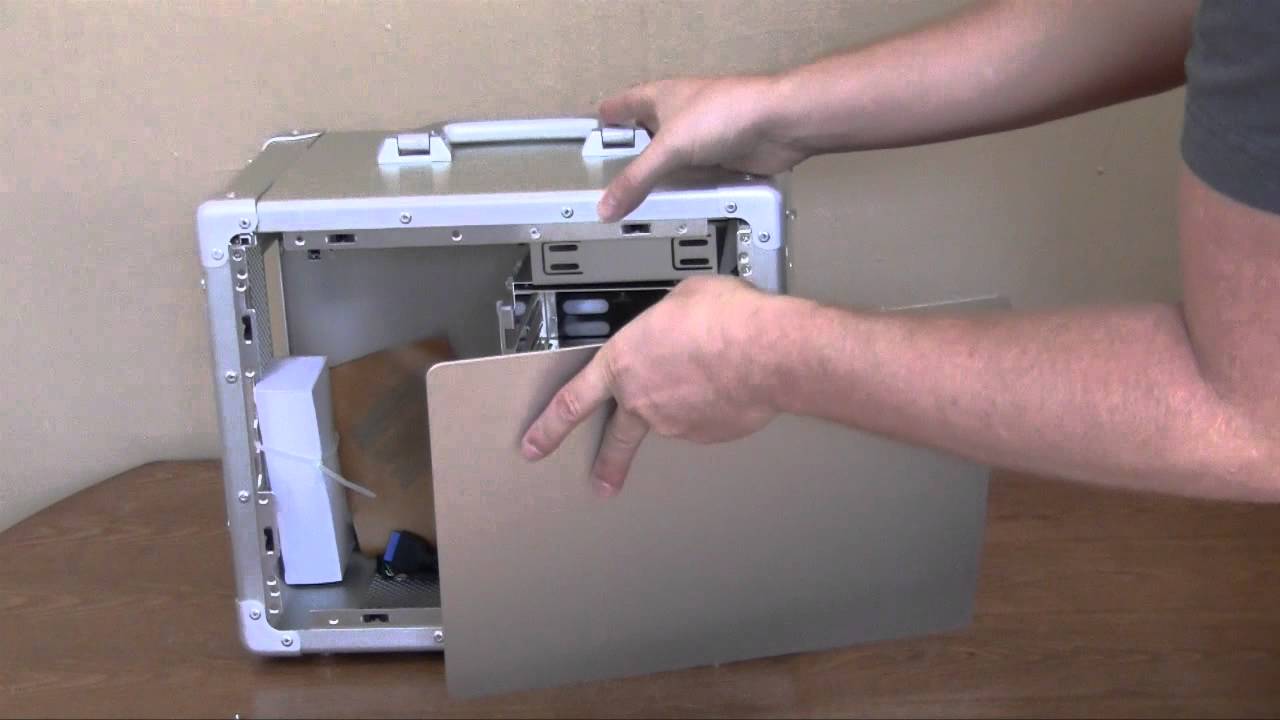
To give you a good idea of how the PC-TU200 comes and a brief overview check out our unboxing video below.
is it better than this one? http://www.amazon.com/Dell-iO2320-111ELS-Desktop/dp/B005KP7O0Y?tag=emjay2d-20
I built a gaming computer in this case mid-December 2011.
Here’s what’s in the box…
Zotac Z68ITX-A-E mobo
Core i7 2600K
Mushkin Enhanced Redline (2x4GB) DDR3 2133
Cooler Master GX Series RS650
Pioneer Blu-ray BDR-206DBKS
EVGA GTX 560 Ti 448 Core FTW
OCZ Agility 3 240GB
Hitachi Deskstar 7K1000
Themaltake Slim X2 CPU Cooler
I originally tried a Zalman CNPS 8000A CPU Cooler, based on someone’s blog post. While the cooler fit heightwise, it was too big left to right and could not be mounted without interfering with the video card. That’s why I settled on the Thermaltake.
After taking the hard drive cage in and out, in and out, over and over, I finally realized that it would be possible to mount my 3.5 rotating drive in the top of case holes used to mount the entire drive cage. Since my SSD mounted on the floor of the case in the 2.5 mounting spot provided., I was able to just leave the hard drive cage out. All that empty space, has made me consider putting in a liquid CPU cooler. ( A project for later this month).
My video card was not a full length card, but it was quite clear to me that a single full length card would not be a problem in this case. None the less, even with my shortened card, the video card slices the case into 2 cooling zones. 1 for the mobo, power supply and any hard drives not mounted on the floor of the case. The other zone is the video card and the SSD. The first zone (the 1 with the mobo) uses the case’s front mounted 140mm fan to blow air into the case. I have the PSU mounted so that it’s fan (which blows air out of the case) is just above the CPU cooler fan.
However, the second zone has only the video card fan(s) for air circulation. Holes in the bottom of the cage supply all the air for this second zone. Therefore if you place the case on carpeting you may find your video card over heating very quickly. A smooth hardish surface between the case and the carpet – say a piece of poster board eliminates the problem. (It only had to crash Skyrim once for me to learn this lesson)
The cable the case provided for the case power LED used a three pin connector that did not match my motherboard. A lot of cases know this can be a problem so they don’t group the 2 LED wires into a single multi-pin connector, instead they provide each LED wire with its own 1 pin connector. I wish Lian had done that for my case. As it was, I had to re-pin the connector using a safety pin to carefully remove the crimped on contacts from the plastic housing. Finally, re-inserting the contacts into a the same connector but in a configuration that allowed 1 of the 3 pins to hang over the edge of the mobo pins. FYI, the power light and disk light are very attractive and worth the trouble.
I got the black case. But fit and finish is not perfect. As a result, I think the aluminum finish might actually look better, since you would never notice a little sliver of silver showing in a gap between the case and removable panels. These tiny little imperfections shine out like a laser on the black finish case.
If you want to e-mail about my build experience with this case, write me at [email protected]
help,
I’ve purchased this case, using it for gaming i5 3570k and gtx 680. What cpu cooler would you recommend?